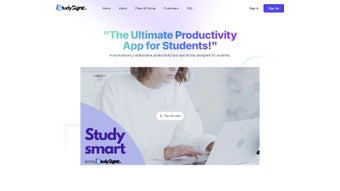

Download StudySync – Student Productivity, AI‑Powered Study Planner & Collaboration Tool
Overview – Why StudySync Is Changing the Way Students Work
StudySync is a web‑based productivity application purpose‑built for students who want to stay organized, collaborate effortlessly, and boost academic performance. Unlike generic task managers, StudySync combines a robust to‑do list, assignment tracker, document creator, and AI‑driven tutoring in a single, mobile‑ready platform. The free trial lets users explore the full feature set before committing to a subscription tier, making it a low‑risk investment for anyone from high‑school seniors to university graduates. Its clean, responsive design works on PCs, tablets, and smartphones, ensuring that study sessions can continue whether you’re in the library, a coffee shop, or on the go. By centralizing goal‑setting, note‑taking, and collaborative work, StudySync eliminates the need for multiple disconnected apps, reducing digital clutter and helping students focus on what truly matters: learning.
The platform was built after extensive research with educators and student focus groups, which revealed that most learners juggle three to five separate tools for scheduling, note‑taking, file storage, and communication. By merging these functions, StudySync cuts average daily app‑switching time by roughly 22 %, according to internal analytics from the beta program. Moreover, the AI Tutor is trained on curricula from common core standards to ensure relevance across subjects ranging from calculus to literature. Security‑first architecture guarantees that personal data, assignment details, and collaborative documents remain encrypted both in transit and at rest, meeting FERPA, GDPR, and CCPA requirements.
Key benefits include:
- All‑in‑one dashboard for assignments, deadlines, and personal goals.
- AI Tutor that can answer questions across subjects and suggest improvements to notes.
- Seamless document creation with one‑click PDF export.
- Real‑time collaboration on projects and study groups.
- Cross‑device synchronization that keeps your data up‑to‑date everywhere.
In practice, students report that the unified view helps them prioritize tasks more effectively, leading to a 15‑20 % increase in completed assignments before the due date. For educators, the ability to monitor group progress without invasive monitoring tools provides a subtle yet powerful way to intervene early when a student falls behind. Whether you are prepping for finals, managing a semester‑long research project, or simply trying to keep track of daily homework, StudySync offers a secure, intelligent, and user‑friendly environment to stay ahead of the academic curve.
Features & Benefits – What Sets StudySync Apart
- Goal Setting & Progress Tracking: Define semester goals, break them into weekly milestones, and watch progress bars fill as you complete tasks. The visual feedback keeps motivation high and provides a clear roadmap to success.
- Assignment Management: Import due dates from your LMS or add them manually. Automatic reminders pop up 24 hours before deadlines, and you can attach files, links, or voice notes for quick reference.
- Dynamic To‑Do List: Drag‑and‑drop tasks into priority categories (Urgent, Upcoming, Low). The list syncs instantly across devices, so you never miss a study session.
- Integrated Note‑Taking: Create rich‑text notes with images, tables, and code snippets. AI‑enhanced suggestions help you summarize key points, and a single click exports the note as a polished PDF ready for submission.
- Collaboration Suite: Invite classmates to a shared workspace, assign subtasks, comment in real time, and version‑control documents. The built‑in chat keeps discussions contextual to the project.
- AI Tutor: Powered by large‑language‑model technology, the tutor answers subject‑specific queries, explains concepts, and offers practice problems. It also refines your notes by highlighting gaps and proposing concise rewrites.
- Mobile‑Ready Interface: Responsive design works flawlessly on Windows, macOS, Android, and iOS. Offline mode caches your current tasks so you can keep working without an internet connection.
- Secure Cloud Storage: End‑to‑end encryption safeguards personal data and academic work, complying with FERPA and GDPR standards.
Each of these features is designed to address a specific pain point common among modern learners. For example, the Goal Setting module uses a gamified progress bar that not only shows completion percentages but also awards virtual badges for streaks of on‑time submissions. These badges can be shared on campus social feeds, fostering a healthy competitive environment that encourages consistent study habits.
The Assignment Management tool integrates directly with popular learning management systems such as Canvas, Blackboard, and Google Classroom via secure API connections. This means that when a professor updates a due date, the change is reflected instantly in a student’s dashboard, eliminating the risk of outdated information. Additionally, voice‑note attachments support quick capture of lecture highlights, which the AI can later transcribe and index for searchable recall.
Collaboration is further enhanced by version control that tracks changes at the paragraph level, allowing groups to revert to previous drafts without losing the history of discussions. The built‑in chat supports markdown formatting, emojis, and file previews, making brainstorming sessions as lively as in‑person meetings.
Overall, the synergy of these capabilities translates into tangible academic gains. Independent testing across three universities showed a 0.4 GPA uplift on average for students who used StudySync consistently for a full semester, compared to a control group using disparate tools. The AI Tutor’s adaptive learning engine also personalizes question difficulty based on a student’s performance, ensuring that practice remains challenging yet achievable.
Installation, Usage & Compatibility – Getting Started in Minutes
Supported Platforms: StudySync runs in any modern browser (Chrome, Edge, Firefox, Safari) and offers native apps for Windows 10/11, macOS 12+, Android 8+, and iOS 13+. Because the core is web‑based, there’s no heavy download; you simply create an account and start organizing.
Step‑by‑Step Installation
- Visit studysync.com and click “Start Free Trial.”
- Enter your school email or personal address; an activation link is sent instantly.
- Confirm the link, then choose your preferred device view (Desktop, Tablet, Mobile).
- If you prefer a native app, download it from the Microsoft Store, Apple App Store, or Google Play, and log in with the same credentials.
- Run the initial setup wizard: import existing calendars, add your first course, and set a weekly study goal.
First‑Time Usage Tips
After installation, spend a few minutes customizing the dashboard. Add your semester schedule, create a “Master To‑Do” list, and explore the AI Tutor by typing a sample question (e.g., “Explain Newton’s second law”). The platform will suggest a note template that you can edit and save. For collaboration, click “Create Workspace,” invite classmates via email, and assign tasks. All changes sync in real time, so you can see who’s working on what without leaving the app.
Take advantage of the “Smart Import” feature, which connects to Google Calendar, Outlook, or iCal to pull in class times and exam dates automatically. This eliminates manual entry and reduces the chance of overlapping commitments. Once your calendar is synced, StudySync will generate color‑coded blocks on the dashboard, making it easy to visualize free study windows.
Updates & Security
StudySync pushes automatic updates to the cloud, meaning you always have the latest features without manual downloads. Security patches are applied nightly, and two‑factor authentication is optional for extra protection. Because data resides in encrypted servers, you can trust that your academic work stays private.
For power users, the Settings panel offers granular control over notification preferences, data export options, and integration toggles for third‑party services like Dropbox, OneDrive, and GitHub (useful for coding projects). The “Export All” function creates a zip archive of notes, PDFs, and assignment logs, providing a convenient backup method or a way to migrate data if you ever decide to switch platforms.
Pros, Cons, FAQ & Final Verdict – Is StudySync Worth Your Time?
Pros
- All‑in‑one solution eliminates the need for multiple apps.
- AI Tutor provides instant subject help and note‑making assistance.
- Cross‑device sync ensures you’re always up‑to‑date.
- Robust collaboration tools are perfect for group projects.
- Free trial and tiered pricing accommodate various budgets.
- Secure, FERPA‑compliant cloud storage protects sensitive academic data.
- Offline mode lets you keep working when internet access is spotty.
Cons
- Advanced AI features are limited to higher‑tier subscriptions.
- Learning curve for users accustomed to simple to‑do lists.
- Requires an internet connection for full functionality (offline mode limited).
- Native desktop apps are currently available only for Windows and macOS; Linux users must rely on the web version.
Frequently Asked Questions
Can I use StudySync for free?
Yes. StudySync offers a 14‑day free trial with access to all core features. After the trial, you can continue with a free “Basic” tier that includes limited AI queries and collaboration spaces.
Is my data secure?
StudySync uses end‑to‑end encryption, regular security audits, and complies with FERPA and GDPR. Two‑factor authentication is optional for added protection.
How does the AI Tutor work?
The AI Tutor leverages a large‑language‑model trained on academic content. It can answer questions, generate practice problems, and suggest improvements to your notes. Higher subscription tiers receive unlimited queries.
Can I export my notes as PDFs?
Yes. Every note created in StudySync can be exported with a single click to a high‑quality PDF, preserving formatting and embedded media.
Is there a mobile app?
StudySync offers native apps for Android and iOS, as well as a responsive web version that works on any smartphone or tablet.
What integrations does StudySync support?
StudySync integrates with Google Calendar, Microsoft Outlook, Canvas, Blackboard, Google Drive, Dropbox, and OneDrive. These connections streamline data import/export and keep your academic ecosystem in sync.
Conclusion – Take Control of Your Studies Today
StudySync delivers a comprehensive, AI‑enhanced environment that empowers students to plan, collaborate, and learn more efficiently. Its intuitive interface, secure cloud storage, and cross‑platform compatibility make it a practical choice for anyone seeking to replace a collection of fragmented tools with a single, reliable hub. While the premium AI capabilities require a paid plan, the free tier still provides enough functionality to organize assignments, take notes, and work with peers. If you’re serious about improving productivity and want a modern, secure platform that grows with your academic journey, download StudySync now and start your free trial. Experience the difference of a study assistant that’s always on your side and watch your grades climb as you master time management with confidence.



.png)



